How to assign individuals to multiple tasks based on their role
If you have assigned roles to a traffic plan, either from a template or manually, and you now want to assign individuals to tasks, you can do so for multiple tasks using the ‘Assign Resources to Tasks’ option.
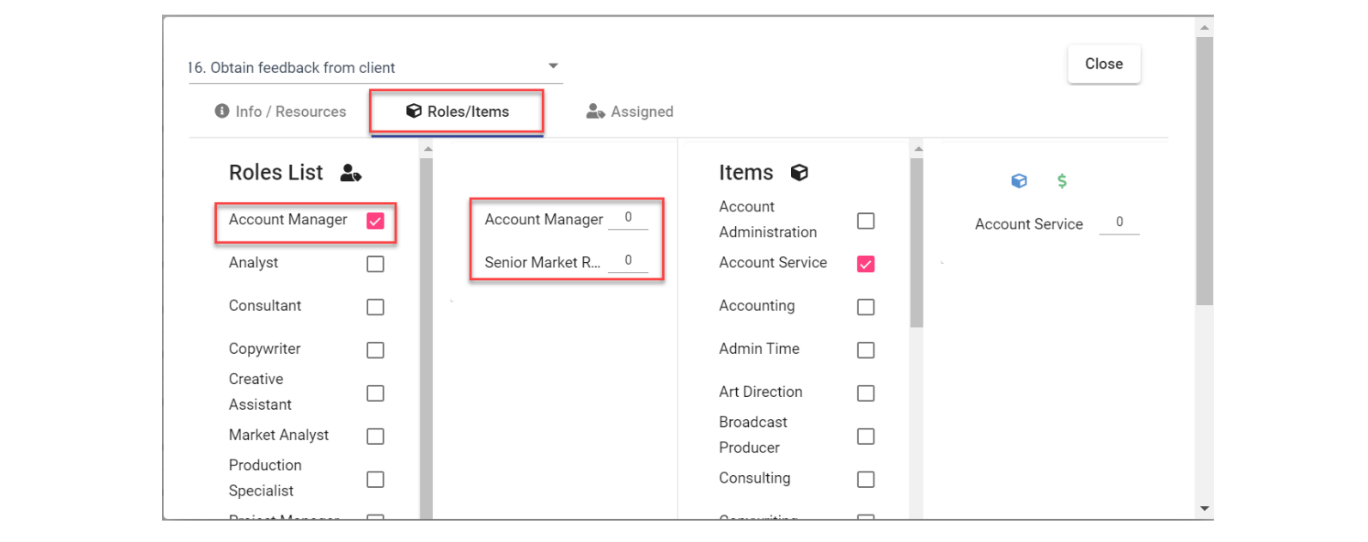
- Roles should be selected for each task for this to work (hours for each role may or may not be specified):

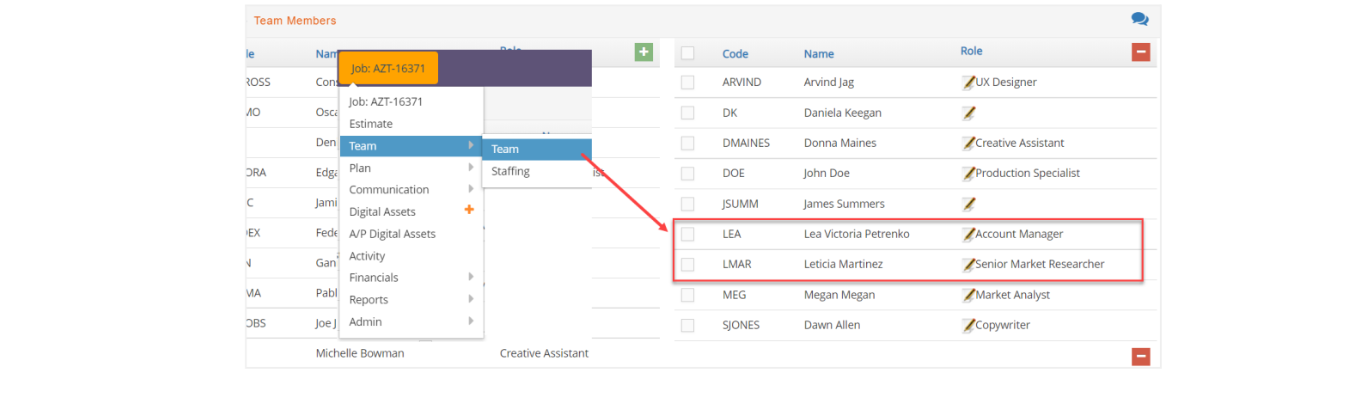
- You should make sure there is a team assigned to the job or add the team members with the specific roles needed for each of the tasks:
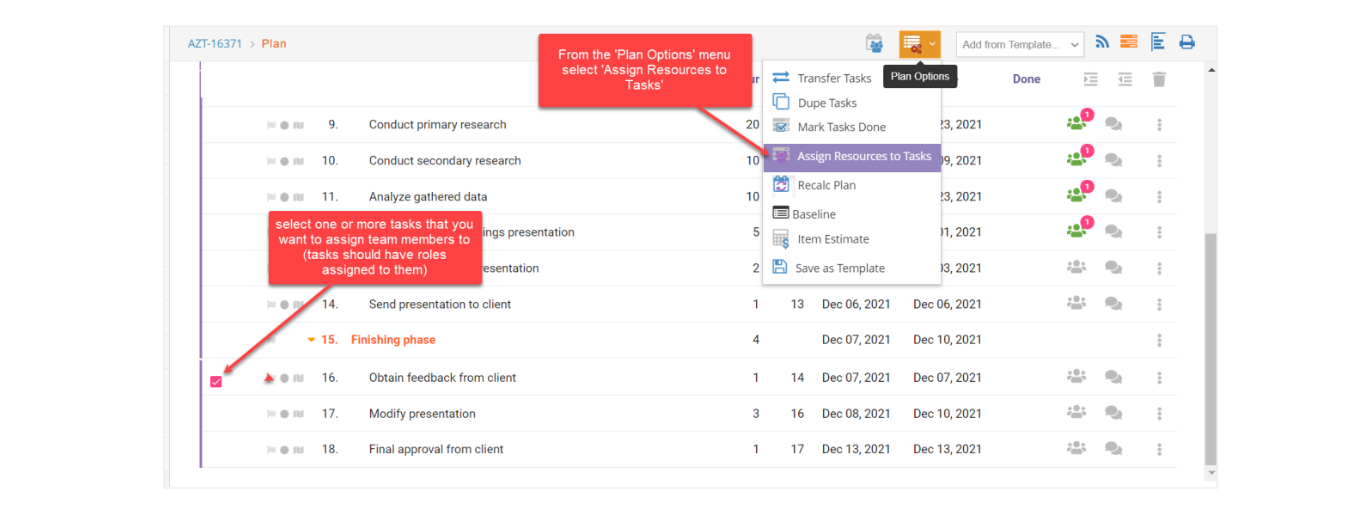
- Back in the Plan window, select the task(s) that you want to assign team members to based on the roles set up. Then from the Plan Options menu, select “Assign Resources to Tasks”:
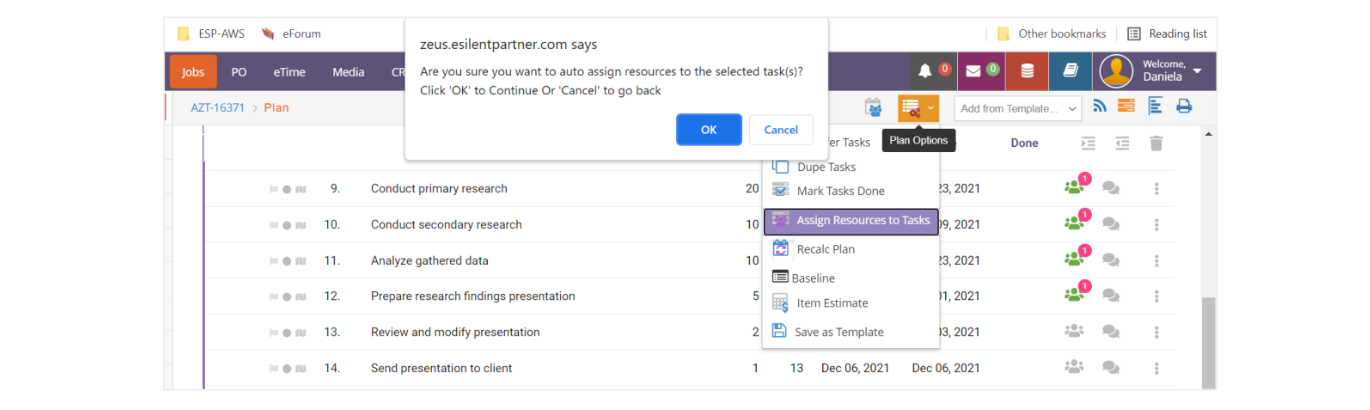
- The system will ask you to confirm your request. Click ‘OK’ to assign the individuals or ‘Cancel’ to go back:
- If you select ‘OK’, you will be able to see that the task(s) previously selected now have resources assigned. You can click on the green icon to see the details:
